Krotos Studio Review 2025 — Fast Cinematic Sound Design for Creators & Pros

Krotos Studio Review 2025 — Lightning-Fast Sound Design for Creators
🔗 Your ref link: https://krotos.studio/?rfsn=8844600.03d8c9
What is Krotos Studio?
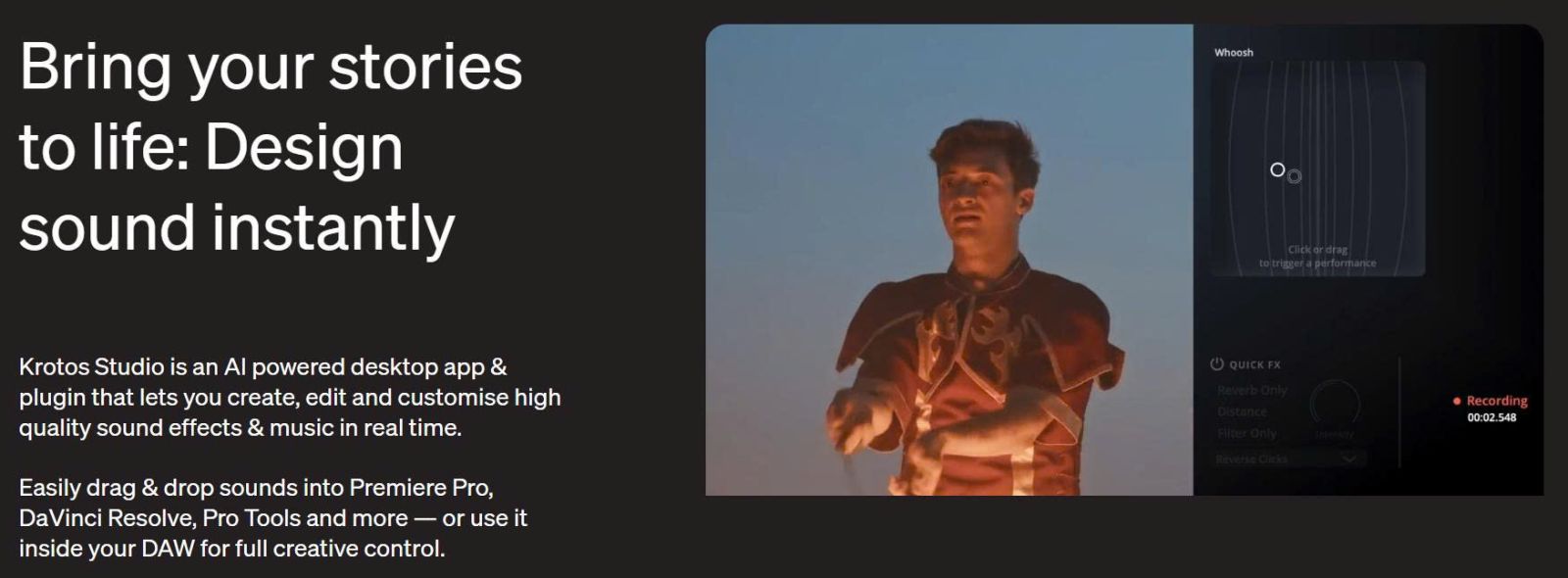
Krotos Studio is a sound-effects creation plugin that lets you perform whooshes, risers, impacts, engines, weapons, creatures, ambiences, and more—then drag-and-drop the rendered audio straight into your DAW or timeline. It bundles curated SFX engines/presets and an intuitive pad-style UI, so you can create cinematic results in seconds without hunting libraries.
Why Pros Use Krotos (at a glance)
-
Speed + Playability: Perform transitions, trailer booms, and design passes in real time, then drop audio directly to your edit.
-
Polished Presets: Purpose-built engines (weapons, vehicles, creatures, UI, horror, atmos, etc.) with tweakable macros.
-
Layering Power: Hybrid synthesis + samples for modern, punchy FX; easy variation for alt takes.
-
Creator-Friendly Workflow: Great for YouTube, trailers, games, reels, podcasts—fast turnaround, consistent polish.
-
Expanding Features: Randomize/AI variation tools (rolling out) for instant alternates and idea exploration.
Standout Tools in the Krotos Ecosystem
-
Weaponiser: Modular gun/impact designer for terrestrial and sci-fi assets.
-
Igniter: Vehicle & engine design (perform revs to picture).
-
Dehumaniser 2: Real-time monster/creature vocal processing.
-
Reformer Pro: “Perform” libraries with your voice or input to morph textures and foley layers.
(Krotos Studio gives you a unified, drag-and-drop flow for this style of work.)
Who It’s For
-
Editors/YouTubers/Short-form creators who need blockbuster polish fast.
-
Indie game & film sound designers needing rapid prototyping and consistent variations.
-
Music producers adding cinematic ear candy (risers, downers, impacts, UI bleeps).
-
Post teams building scenes to picture with performance-based control.
Pros & Cons
Pros
✔ Ridiculously fast: perform → drag-drop audio → done
✔ Big, modern sound with minimal setup
✔ Broad preset coverage; instant variations
✔ Beginner-friendly UI that still scales for pros
Cons
✘ Not a full replacement for deep, custom spot-FX editing in every case
✘ Best results come from learning macro mappings & gain staging
✘ Library expansion may be needed if you design highly specific worlds
Quick Start Tips
-
Start with a scene goal (“3 trailer hits + 1 riser into whoosh”). Perform each as a unique take.
-
Record multiple passes per cue; pick the best transient and tail per spot.
-
Gain stage wisely—leave headroom for your mix bus/limiters.
-
Stack with subtle verbs/IRs after printing for glue.
-
Name/organize your drops (“WHS_120BPM_keyD_take3”) for easy reuse.
Verdict
If you value speed, clean UI, and cinematic punch, Krotos Studio is a no-brainer. It won’t replace artisanal, frame-by-frame design for every moment, but for 80% of creator/editor needs, it delivers broadcast-ready FX in minutes—and keeps you creating instead of searching.
Score: ⭐⭐⭐⭐⭐ 4.7/5 — Elite speed-to-quality for modern content.
 https://krotos.studio/?rfsn=8844600.03d8c9
Social Caption
Make blockbuster sound design in minutes 🎬🔊
Perform whooshes, hits, engines, creatures—then drag-drop to your edit.
Try Krotos Studio 👉 https://krotos.studio/?rfsn=8844600.03d8c9