Sielux SL2 Review 2025 — Ultra-Portable 10W AI Galvo Laser Engraver (Handheld + Desktop)

Sielux SL2 Review 2025 — Ultra-Portable AI Laser Engraver for Gifts, Small Business & On-Site Demos
🔗 Referral link: https://sielux.com/?ref=Cpchop25
Overview
The Sielux SL2 is a 10W diode, galvo-driven laser engraver that blends handheld freedom with desktop precision. You can pick it up to personalize items on the spot or dock it on the electric lifting platform (and optional roller/rotary) for repeatable, production-style work. It targets creators who want speed (up to 4000 mm/s), fine detail (up to 400 DPI, <0.15 mm accuracy), and beginner-friendly AI that turns prompts or photos into ready-to-engrave art.
Price & promos (as listed):
-
MSRP: $989
-
Current sale: $699
-
Code: SL2100 (Halloween preview, “$100 off for a limited week”)
-
Bundles:
-
SL2 Turbo (SL2 + Lifting Platform)
-
SL2 Elite (Turbo + Roller)
-
SL2 Deluxe (Elite + Air Purifier)
-
Policies & fulfillment: 12-month warranty, 14-day return, 60-day price guarantee, fast/free US shipping.
Key Features (At a Glance)
-
Two modes, one device: Handheld for live personalization & awkward surfaces; desktop for accuracy and batch jobs.
-
AI-assisted creation: Prompt-to-design, photo-to-line-art, and template library in the mobile app—no design experience required.
-
Real portability: Ergonomic grip, magnetic 117 mm safety cover, and quoted ~0.8 kg device weight—toss it in a backpack for pop-ups.
-
Speed + detail: Galvo scanning up to 4000 mm/s, 400 DPI, <0.15 mm claimed accuracy.
-
Safety stack: Tilt/overheat/setup sensors with auto-stop, protective cover, and included safety eyewear.
-
Ecosystem: Electric lift for quick Z-adjustment, roller/rotary for tumblers & cylindrical items, air purifier (bundle-dependent).
-
Materials: Wood, coated metals, leather, cardboard, fabrics, certain acrylics* (see notes), paper, and more.
Acrylic note: Like most 10 W blue-diode lasers, clear/transparent acrylic needs a dark coating or cast/colored stock for reliable results.
Hands-On Style Experience (from user/tester scenarios)
-
Unbox to first engrave in minutes. Mount the magnetic shield, connect power/USB, pair the mobile app (iOS/Android), pick a template or upload a photo, preview, and go.
-
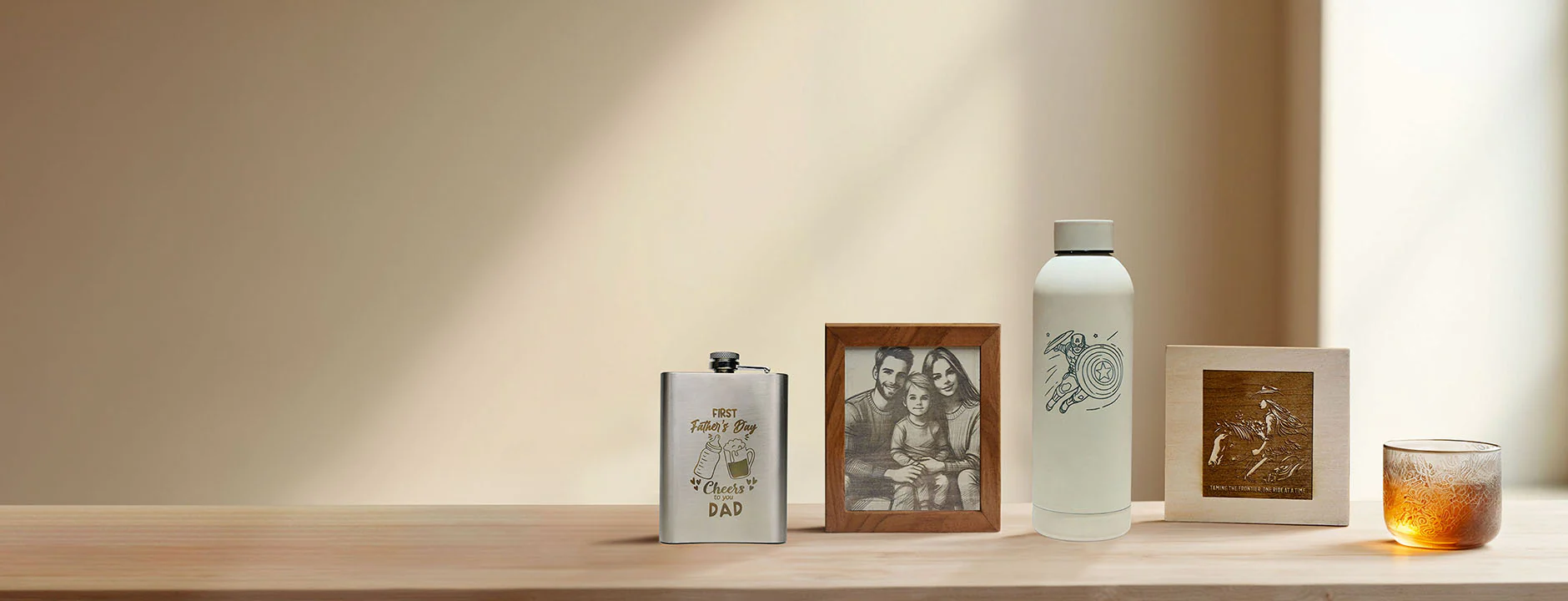
Live branding wins. Engrave shipping boxes, gift lids, leather coasters, or photo wood frames in front of customers—fast turnaround helps close sales.
-
Z-control = clean detail. On the electric lift, fine-tune standoff quickly; for cups/bottles, the roller keeps artwork aligned.
-
Quality-of-life details: Auto-brake/auto-stop, easy freehand positioning in handheld mode, and parameter presets for common materials speed up your workflow.
Specs & What’s in the Box (bundle-dependent)
-
Laser: 10W blue diode (galvo)
-
Speed/Resolution: Up to 4000 mm/s, up to 400 DPI (fine linework)
-
Accuracy: <0.15 mm (claimed)
-
Cover/Focus: 117 mm protective cover; electric lift stand for Z
-
Control: Mobile app (Wi-Fi/BT); USB to base & accessories
-
Accessories (varies by bundle):
-
Electric lifting platform (Turbo+)
-
Roller/rotary (Elite+) for tumblers/cylinders
-
Air purifier (Deluxe)
-
Protective glasses, power/USB cables, starter materials
-
Pros & Cons
Pros
-
Handheld + desktop in one—rare flexibility for events, studios, workshops
-
AI artwork lowers the learning curve; built-in templates accelerate jobs
-
Galvo speed (up to 4000 mm/s) for quick turnaround on small to medium items
-
Portability: ~0.8 kg unit with ergonomic grip; truly on-the-go
-
Accessory path: Lift, roller, purifier expand capabilities as you grow
-
Safety: multi-sensor auto-stop + magnetic shield encourages best practices
Cons
-
10 W diode limits: clear acrylic and deep cuts are not its forte vs. higher-power CO₂/fiber machines
-
Handheld learning curve: steady hands and preview framing are essential for perfect alignment
-
Software stack: the mobile app is primary; LightBurn compatibility may depend on firmware/support—verify before buying if it’s a must
-
Fume management: use air purifier/extraction for indoor work, especially on leather & plastics
Top 5 Reasons to Choose Sielux SL2
-
Two-in-One Workflow — Handheld for on-site personalization; desktop for accuracy and repeats.
-
AI = Faster Art — Prompt-to-design + templates remove the “blank canvas” anxiety.
-
Event-Ready Portability — Backpack-friendly unit, pop-up booth approved.
-
Speed That Sells — Galvo motion means finish a gift before coffee cools.
-
Upgrade Path — Start with Turbo, add roller for tumblers, then air purifier as jobs scale.
 https://sielux.com/?ref=Cpchop25
Customer Review Summary (early snapshot)
Rated 5.0/5 from ~35 posted reviews on site at the time of writing, with users praising speed, portability, and AI-assisted design:
“Perfect for pop-up markets & workshops… instant personalization that helps me close more sales.”
“Turned a photo into anime and engraved a tumbler—looked custom shop-made.”
“Backpack-able; we engraved a dino for my kid and framed it the same day.”
SL2 vs. Common Alternatives
| Use Case | Sielux SL2 (10W Galvo Diode) | Desktop Diode (10–20W XY) | Entry CO₂ (40–60W) | Handheld Fiber (20–30W) |
|---|---|---|---|---|
| Portability | Excellent – handheld & ~0.8 kg | Poor/Moderate | Poor | Good |
| Speed on small items | Very fast (galvo 4000 mm/s) | Moderate | Moderate | Very fast |
| Engraves wood/leather | Yes | Yes | Yes (best for cutting) | Limited |
| Metals (marking) | Coated/painted OK (raw metal needs prep/constraints) | Similar | With marking spray | Best for bare metals |
| Acrylic | Colored/painted only | Similar | Clear/cast: Yes | No |
| Best for | Events, gifts, branded merch | Budget hobby & light production | Cutting, signage, clear acrylic | Industrial metal marking |
Takeaway: If you value speed + portability + live personalization, the SL2 beats typical desktop diodes. For cutting thick wood/clear acrylic, a CO₂ wins. For raw metal, fiber wins (but costs/weight rise).
Common Questions (Quick Answers)
Q: Can I use it handheld on walls/boxes?
A: Yes—place the magnetic safety cover flat, preview, then engrave. Practice first for alignment.
Q: Compatible with LightBurn?
A: Primary control is via the mobile app. LightBurn support can vary by firmware/model—confirm with Sielux if required for your workflow.
Q: What about tumblers and mugs?
A: Use the roller/rotary (Elite/Deluxe or as an add-on) and set diameter in the app.
Q: What can it engrave?
A: Wood, leather, paper/cardboard, coated metals, some acrylics*, fabrics, etc. (*Clear acrylic needs coating; for deep cuts choose CO₂.)
Q: Is it safe at home?
A: Use the shield, glasses, and ventilation/air purifier. Keep away from kids/pets; follow material safety guidance.
Conclusion — Is the Sielux SL2 Worth It in 2025?
Yes—if you want a fast, truly portable engraver that can perform both live and on a desk. The SL2 is ideal for markets, workshops, gift shops, Etsy sellers, and studios that monetize on-the-spot personalization. Its AI workflows, galvo speed, and roller+lift ecosystem make it a compelling value at the current $699 sale, especially with a limited SL2100 promo.
If your priority is thick cutting or clear acrylic, look at CO₂ machines; for raw metal, consider fiber. Otherwise, for gifts, logos, and small-batch merch with mobility, SL2 is a standout.
👉 Check bundles & availability: https://sielux.com/?ref=Cpchop25